

It is not wrong to say that Facebook is the world’s most popular social networking site that you all know. Facebook is a good platform for you to become a celebrity in any way. Or Facebook is a good place to develop your online business.
If you are a person in the gaming industry, if you play games often, you now have the opportunity to earn money by playing games through Facebook. But for that, you have to play live games on your Facebook page for everyone to see. Game streaming has developed so much in the world that Asia has become the biggest gaming market. Therefore, this game’s live streaming has become a great opportunity to earn billions of money.
How to stream Facebook live while playing games? You must be imagining it now, right? Whether your phone is Android or Apple iOS, you can easily stream live through Facebook while playing games. That’s why we thought to explain how to do live streaming of games through Facebook in a simple step-by-step way for you to easily understand.
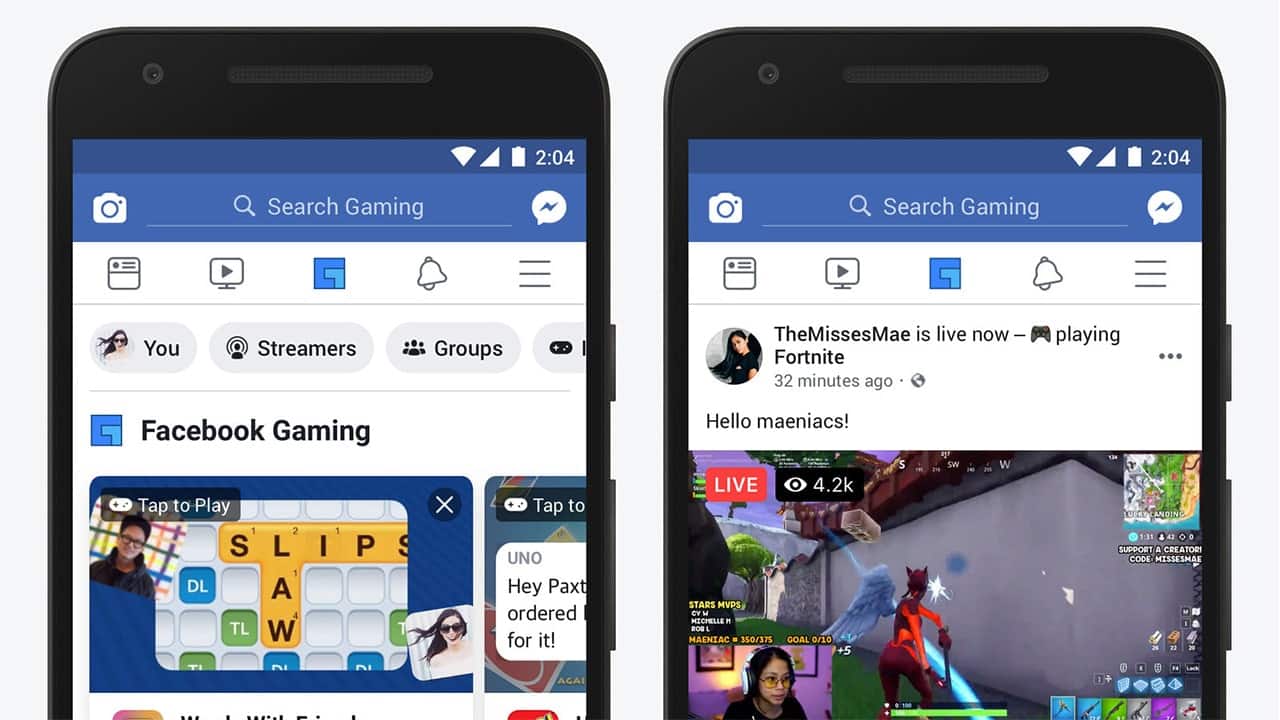

What is Live Streaming?
Streaming something happening online in real time is called live streaming. Social networks like YouTube and Facebook can be used to stream life online. Because of this, many gamers have become accustomed to living streaming the games they are playing so that others can see them.
Through that, those who play games have gained more popularity and earn some income via social networks. But streaming games live is not an easy task. For that, the necessary devices and software, that is, specific encoder apps are needed.
Important things to know about live streaming from Facebook
First, let’s see what we need to have before we start streaming live on Facebook.
- In particular, you need to have a page in a special category called the Facebook Gaming video creator page.
- You must have a Facebook page that has an Admin or Editor role. That means that if you have not received the proper permission, you will not be able to access Facebook Live from that page.
- The most important thing is that you should have a smartphone with good advanced features. Because your phone should be able to play the game as well as live stream continuously without difficulty.
- Before going live, close all the apps that are currently open on your smartphone. Then the memory of your phone will increase and you can reduce lag and jam when going live.
- You can’t do live streaming well without a good internet connection. Therefore, be careful if your mobile data or Wifi connection has the required amount of data to go live.
- A suitable app is needed to stream live through Facebook. That means there should be special software for that. Most people who stream live games here use the Twitch App. Apart from this, apps like Streamlabs OBS, OBS Studio, and XSplit can be used. And now Facebook company has created a special streaming app called Facebook Gaming. You can use either if you want.
After preparing these things properly, you can live stream the game through Facebook while playing.
Starting a Facebook game live stream
Now we are going to talk about how to properly stream a game from your Facebook mobile app. If everything we have mentioned above is done correctly, you can easily live-stream the game so that your fans can see it.
- First, open the Facebook app.
- Now log into the Creator portal there.
- If you have not yet created a Creator portal, follow the steps below.
- Visit the Gaming Page creator.
- Give your gaming page a name you like.
- Continue to continue.
- Add a profile picture and cover picture to customize your page as needed.
- Finally, you can send an alert about your new page to your Facebook friends through Send notifications. Through that, you can get page likes and increase your fan base.
Now you have the ability to play and stream online games through that page. After creating the Creator portal as above, you can start live streaming. For that follow the steps given below.
- First, visit the Creator portal.
- Click on Create live stream.
- Select your Gaming Creator page under Choose where to post your live broadcast.
- Now get your Stream key and/or Server URL.
- Then select Facebook Live under the service section.
- Now you have to open the streaming software installed on the phone. Through it, you can stream your Facebook live so that everyone can see it.
- Paste the Stream key or Server URL that you copied earlier into the settings of the streaming software.
- Now you can watch a live preview. It gives you an idea of how your game will be streamed.
- Now there is one more little thing to do. That is, select the game you want to play from the Creator portal, tag the game, and add a description of your choice. Then the fans on your page will have the opportunity to get an idea about your gameplay and watch you when you come live.
- Now that the basic things are done, all you have to do is click Go live and start streaming the game.
- While the game is going live, you can manage the necessary things from your streamer dashboard.
- Likewise, if you don’t want to go live at that moment, you can also schedule and stream live. Click Schedule without going directly to Go Live for that. Then schedule the stream at a time you like.
Choosing an encoder or streaming app
There are several Facebook game streaming apps available for mobile phones. You can get these 3rd party apps from the Google play store or the Apple App store. Facebook Gaming is a popular app that allows users to watch and play games instantly. Facebook also launched its own game streaming service in 2020. Therefore, if you want, you can stream games using the Facebook Gaming app.
But now we are going to talk about some other good streaming apps. Some of these apps can be downloaded completely free, but to get some of their features & services, you have to pay when you use the app.
OBS Studio
This is an open-source streaming and video recording app that is completely free. This can be considered an easy to use the app with powerful configuration options.
Streamlabs
This can be called another free app that has many powerful streaming features with a user-friendly interface. Other special features are the ability to back up your broadcasts to the cloud and set custom alerts.
XSplit
XSplit is the next app we bring to you. This is a very good app to stream professionally. It also contains an advanced audio mixer. You can also get the facility of chatting while streaming through this app.
Wirecast
You cannot get this app for free. Starting as a free trial, you have to pay money and get the required package. Equipped with very high features, this is ideal for professional production.
Now you have an idea of how to stream live gameplay through Facebook from your mobile phone. As the gaming industry is developing rapidly, you also have the opportunity to join it and prepare a good source of income.